Google, Core UX
Herald, budget planning for Google’s finance teams
Herald began as a hackathon project with two or three features and about 20 users. Over nine months I worked with a design manager, finance, engineering and product to turn it into the tool teams use to plan, forecast and track spend against an Alphabet-wide budget of $65B (2018).
- Role
- Lead UX designer (contract)
- Timeline
- Oct 2018 – Jul 2019
- Team
- Design manager, PM, finance and engineering partners
- My mix
- Research and strategy 10%, interaction 50%, visual 40%
Who it was for
Cost center owners
Need to see their budget broken down by group and project, at a glance, so they can plan future spend accurately.
Financial analysts
Generate financial reports, check budget availability for their cost centers and approve purchase requisitions.
Purchase order owners
Need to view, edit, forecast and hold committed spend, so leadership gets an accurate forecast.
What was broken
Finance work was spread across too many tools and systems, with processes to match. Analysts aggregated data by hand in spreadsheets, which was slow and error-prone. And the data itself was stale: some calls took more than ten seconds, and sources refreshed anywhere from every three hours to once a month.
So the goals were plain: bring the tools together, make aggregation systematic and transparent, and make spend decisions faster.
How we worked
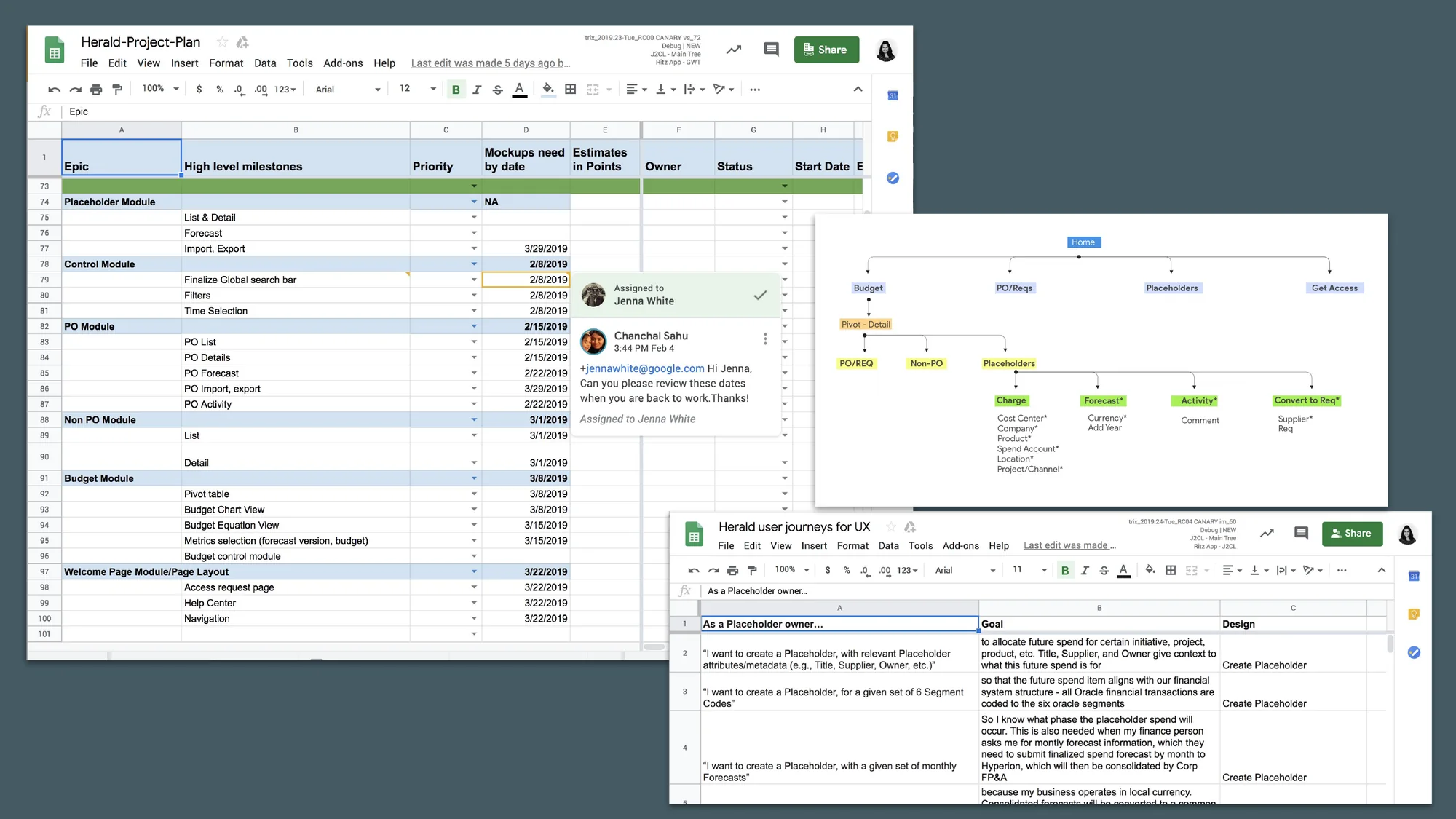
There was no foundational research and the timeline was tight, so I leaned on the people who knew the domain. I ran nine discovery and problem-solving workshops with finance stakeholders, product managers and engineers, and we agreed on a set of hypotheses to design against.
Discover
Stakeholder workshops and interviews to list every problem finance and business users had.
Define
Information architecture, page layouts, feature priorities and the MVP journeys.
Design
Whiteboarding, wireframes and high-fidelity mockups, with two to three rounds of iteration per feature.
Deliver
Final designs and specs to engineering, then dogfood and launch.
Design principles
Scalable and mindful
The design should grow with the product. Herald knows you have work to do and helps without getting in the way: it knows when to whisper and when to shout.
Simple
Tasks should flow without friction. Easy to approach and understand, with functionality focused and logically organized.
People stay in control
As we introduced machine intelligence, users still had to feel in control of what they write and share: the machine is helping me, not taking over.
The budget view, iterated
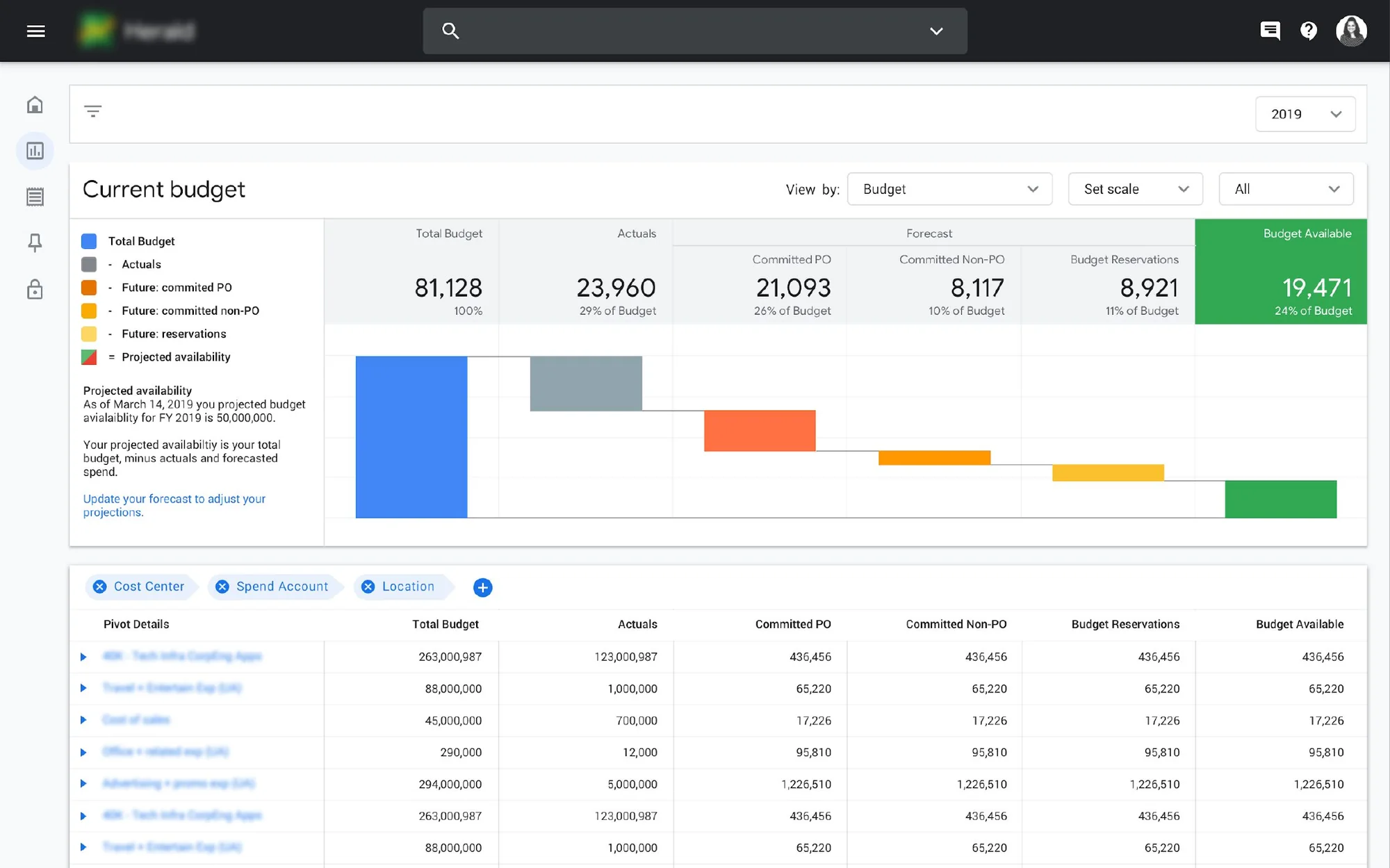
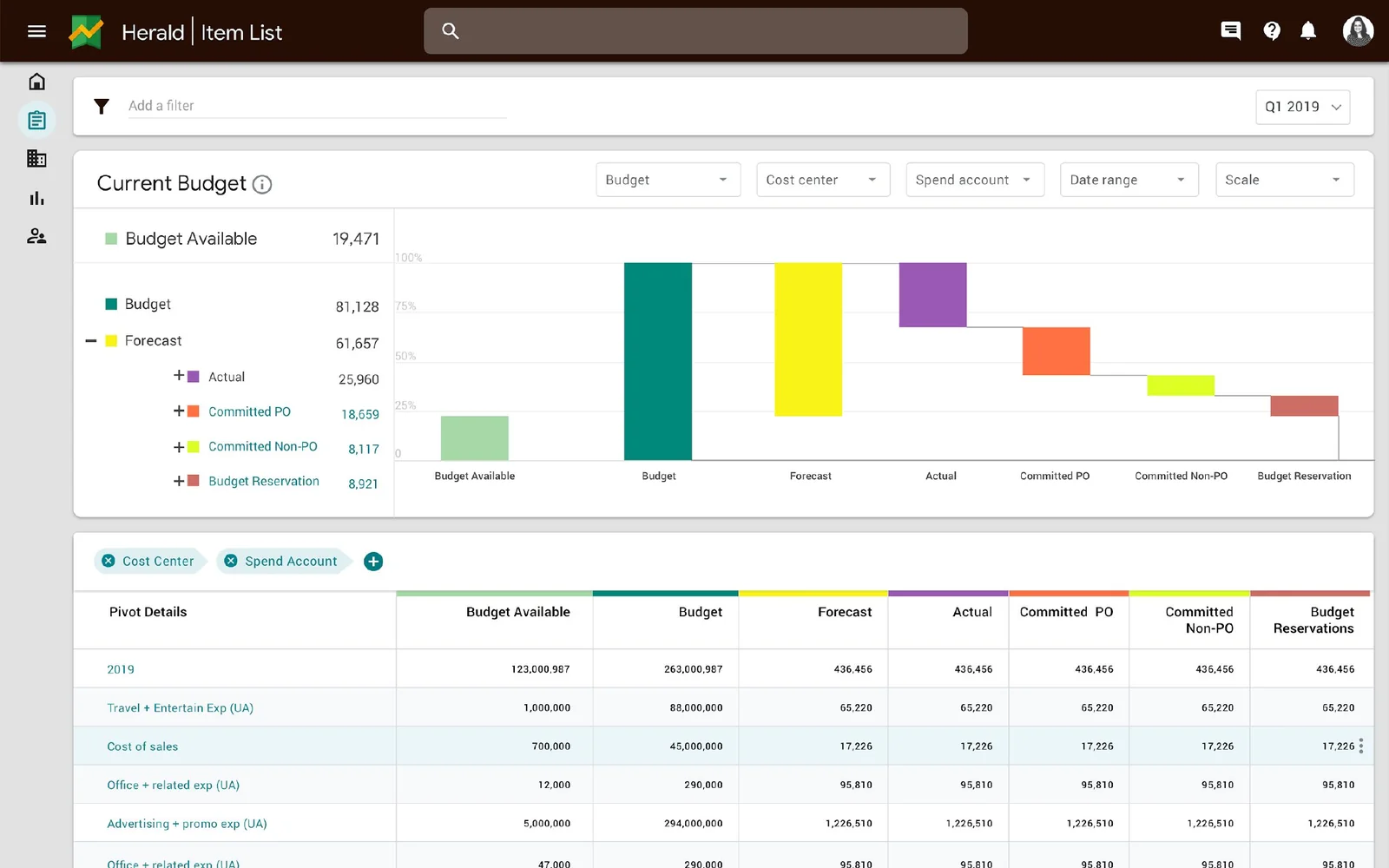
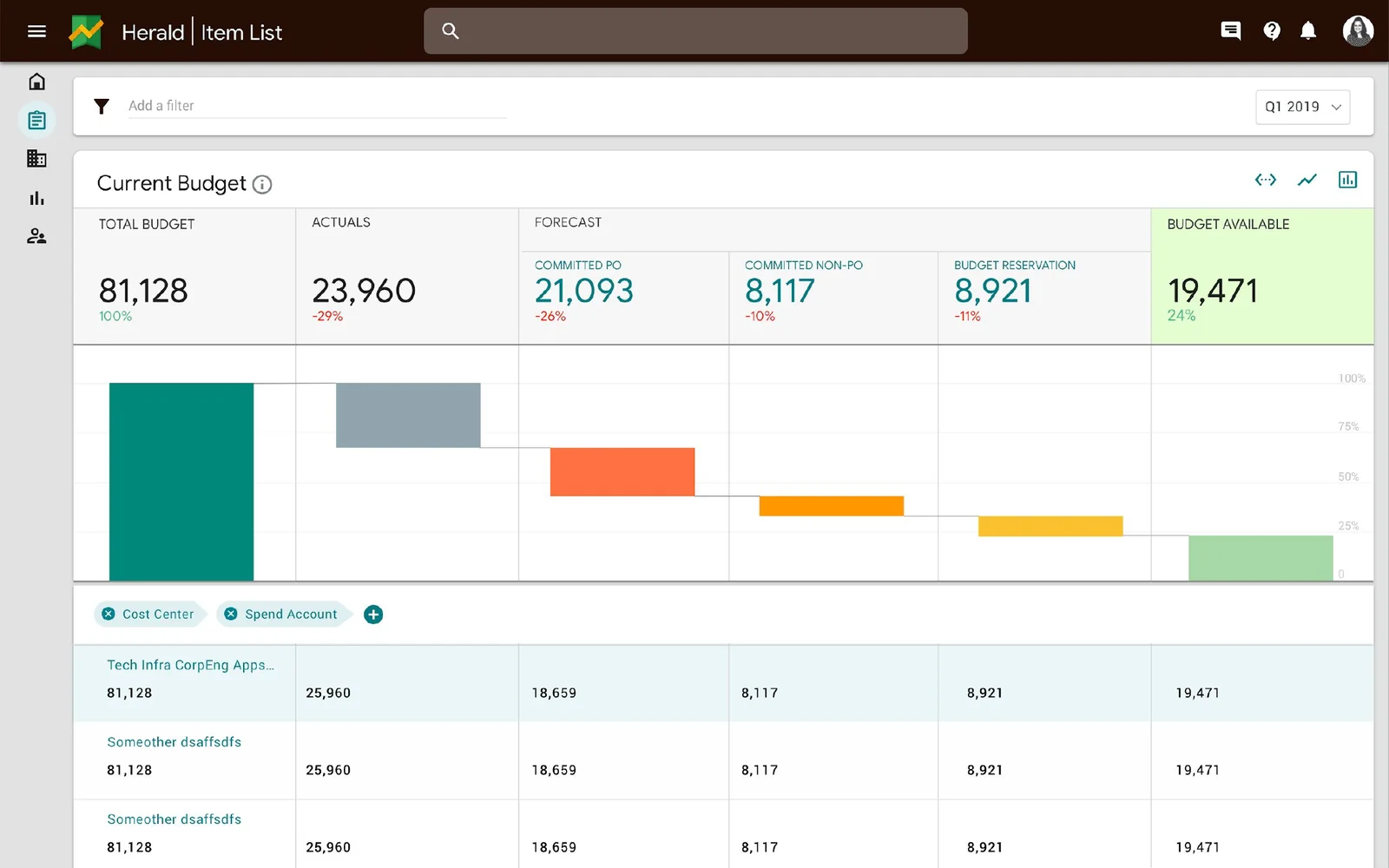
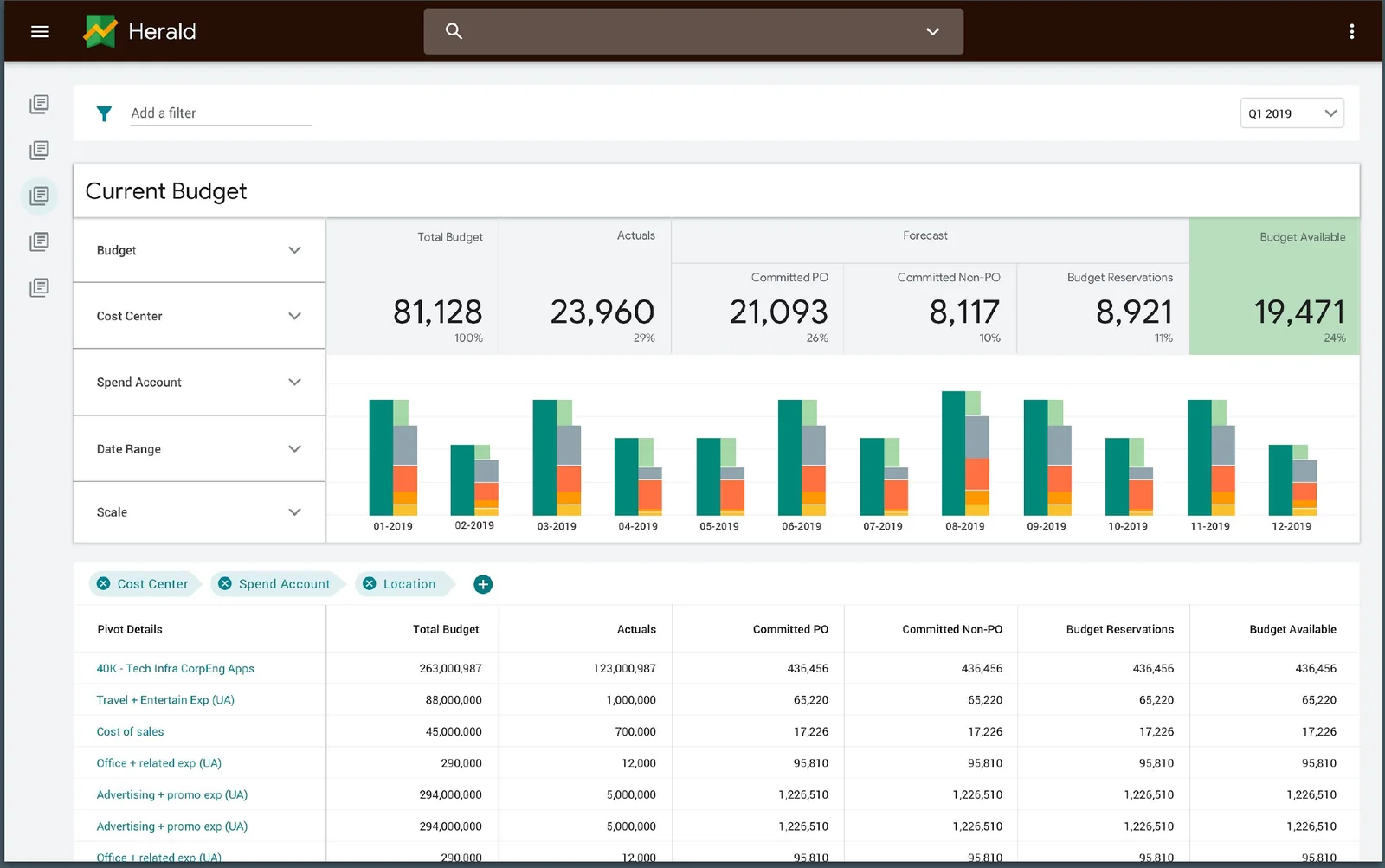
Budget visibility was the heart of the product. I designed several options in parallel, reviewed them with the team, and narrowed down over four rounds.
In the final version, a waterfall chart gives analysts an instant read on the table below it. Budget availability shows in green or red, hovers carry exact numbers, global filters narrow by cost center or any of six segments, and a pivot table lets people drill into the detail.
Forecasting and setup
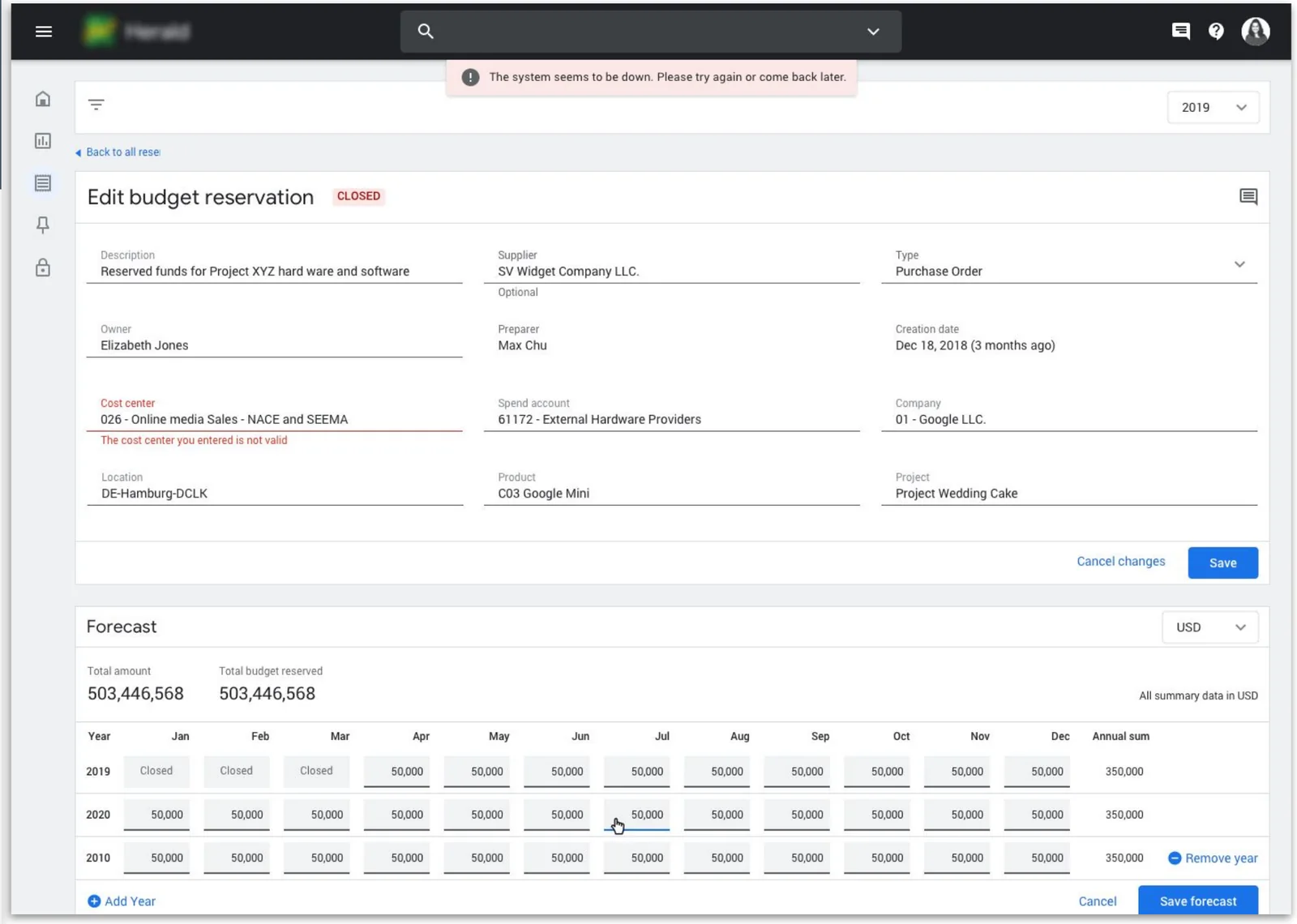
Placeholders let people forecast committed and future spend before it becomes a requisition. It was the most involved feature set and took many iterations, and executive buy-in, to get right. When a placeholder is ready, its forecast moves into a requisition automatically.
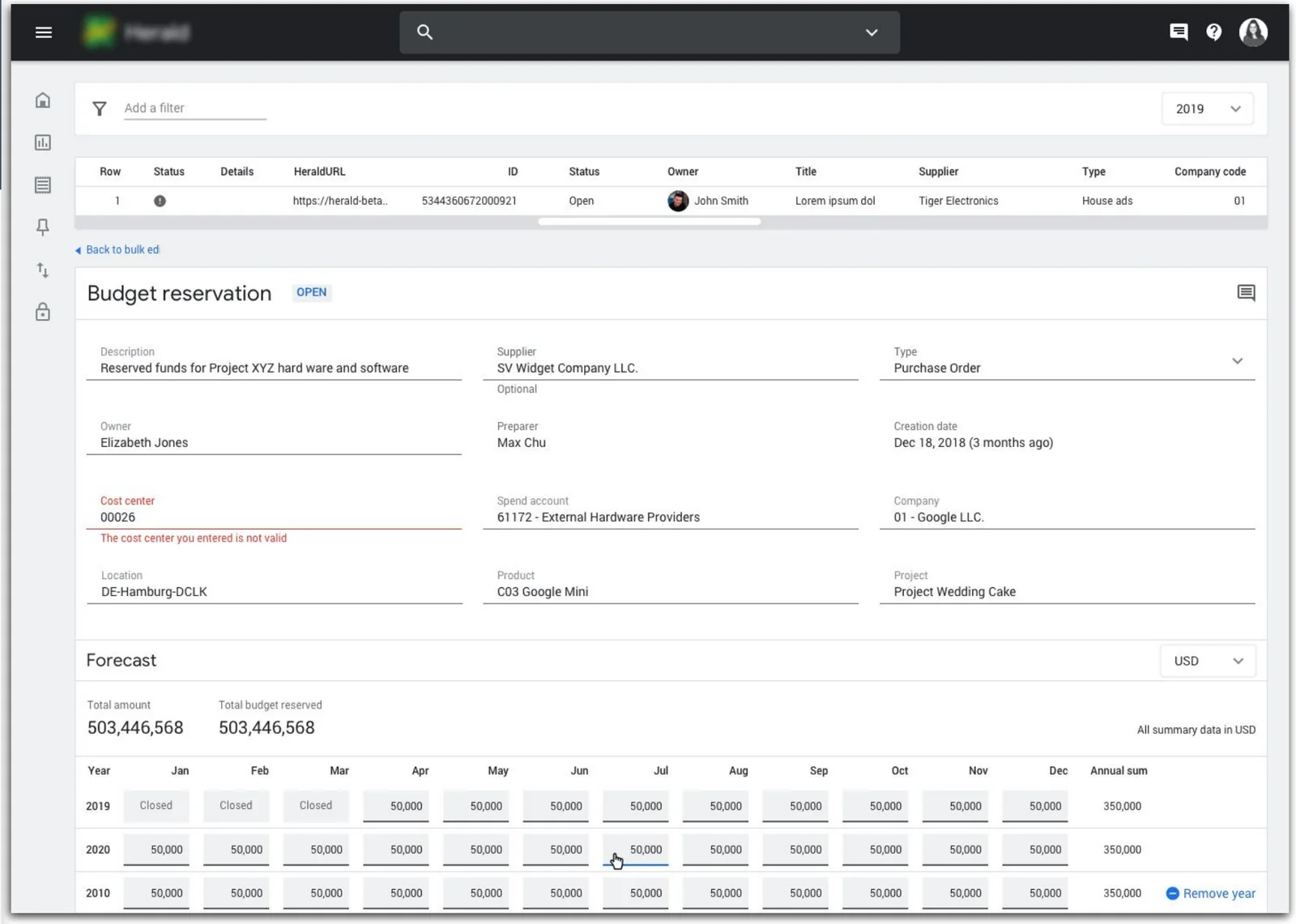
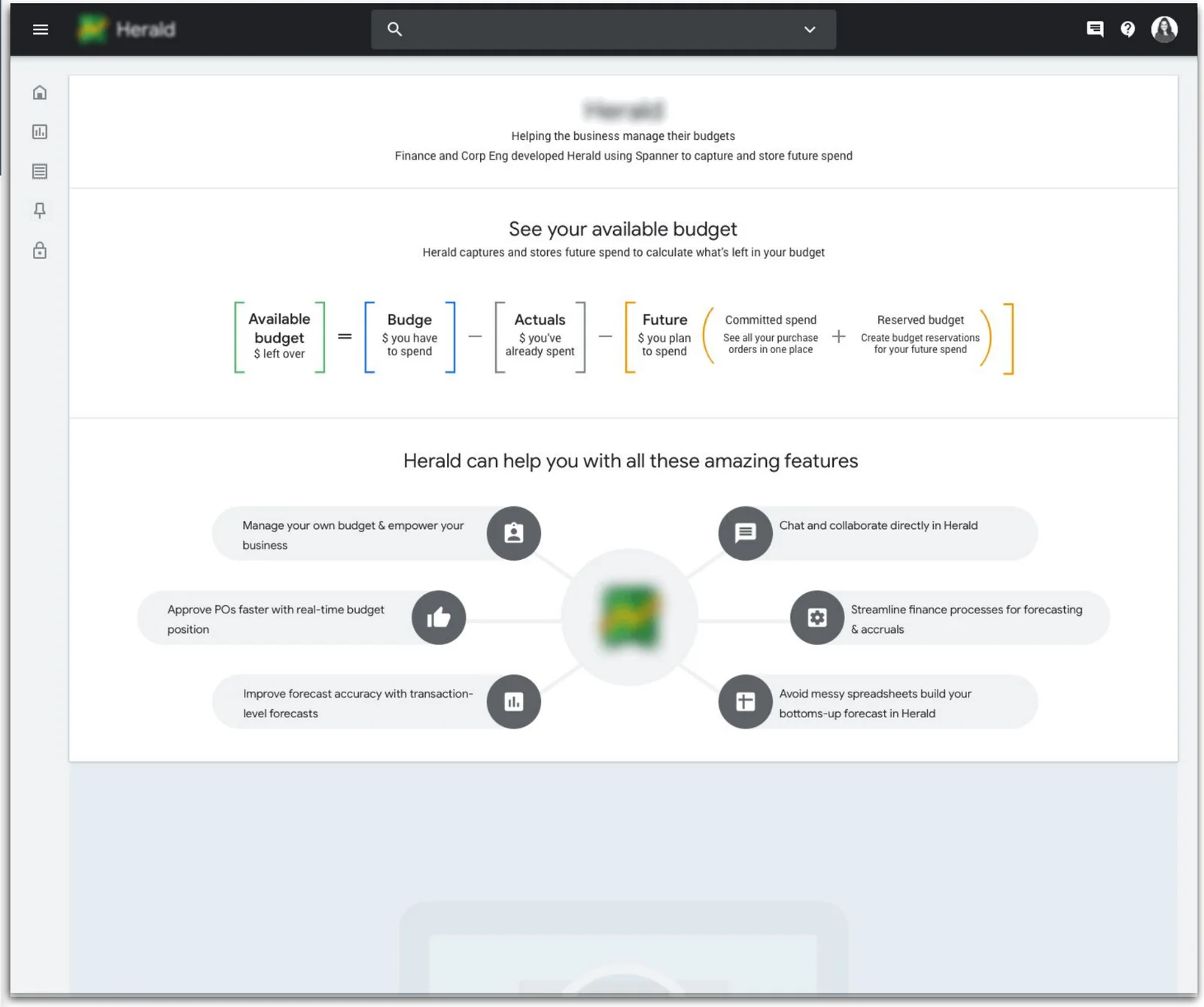
Bulk edit handles import and export for editing purchase orders in bulk, monthly and quarterly reporting, and onboarding. The welcome page introduces the product and helps new teams import data from existing systems or spreadsheets.
Outcome
We launched a dogfood version in June 2019 and V1 in July. At launch, 87 of 190 internal teams, covering $42B in budget, had been onboarded.
- 87 of 190teams onboarded at launch
- $42Bin budget managed in Herald
- 45%faster task completion
- 60%cost reduction